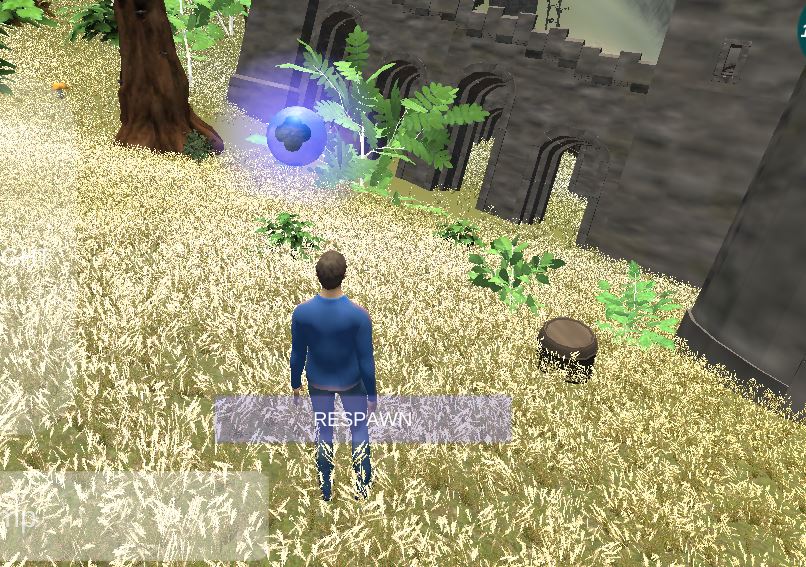
CastleZZ is a 3D game prototype developed in Unity that allows you to play directly from your browser without installation, working on both iPhones and Android devices. It offers exploration across five levels featuring castles, villages, ruins, and a mountainous forest, as well as a cart-based driving mode.
✅ Pros: instant accessibility without downloads, cross-platform compatibility, optimized touch controls, variety of environments to explore.
❌ Cons: prototype state with possible bugs, requires Chrome or Safari for better performance, needs hardware acceleration enabled in some cases, basic graphics typical of web games.
It's ideal for casual gamers looking for quick entertainment without any installation commitments.
📋 Technical Specifications
| Feature | Detail |
|---|---|
| 🎮 Platform | HTML5 (play-in-browser) |
| 📱 Devices | iPhone, Android, PC/Mac |
| 🔧 Graphics Engine | Unity WebGL |
| 🎯 Gender | Adventure/Exploration |
| 👆 Controls | Touchscreen compatible |
| 🌐 Browsers | Chrome (recommended), Safari, Edge, UC Browser, Firefox |
| 💾 Installation | It does not require (100% browser-based) |
| 📊 State | Prototype |
| 👥 Developer | ZOSUstudios |
🎮 Gameplay and Content
CastleZZ offers 5 explorable levels with different medieval and natural settings:
-
Castles: Medieval structures to explore
-
Villages: Settlements with traditional buildings
-
Ruins: Deteriorated areas with a mysterious atmosphere
-
Mountain forest: Natural environment with vegetation
-
Forest Island: Additional Exploration Scenario
Driving Mode
The game includes a collision-based scoring system where you drive a cart through the forest. This arcade mode adds variety to the traditional exploration gameplay, offering a different challenge within the same 3D environment.
🖥️ Compatibility and Performance
Recommended Browsers (In Order of Priority):
-
Chrome - Improved overall performance
-
Safari - Compatible, second option
-
Edge - Functional
-
UC Browser - Mobile Compatible
-
Firefox - Last option, may have limitations
Technical Requirements:
⚙️ Required configuration:
-
Updated browser version
-
Hardware acceleration enabled (especially in Chrome)
-
Adjust the graphics settings in the game if you experience lag.
📱 Mobile devices:
-
It works on iPhone with Safari or Chrome.
-
Compatible with Android using Chrome or UC Browser
-
Touch controls optimized for touch screens
🎨 Visual Design and Construction Quality
As a prototype developed in Unity for WebGL, CastleZZ features functional graphics typical of HTML5 browser games. Multi-platform optimization prioritizes accessibility over high-fidelity graphical realism.
The environments include medieval architecture (castles, villages), natural elements (forests, mountains), and ruined structures that create visual variety across the 5 available levels.
🕹️ Controls and User Experience
The game uses touch controls designed specifically for mobile devices. The touch-friendly interface allows for comfortable gameplay on smartphones without the need for external controllers or a keyboard.
The user experience greatly benefits from instant accessibility : there's no need to create an account, download an application, or wait for installations. You simply access the URL and start playing immediately.
⚡ Performance and Optimization
Solving Common Problems:
If the game does not load:
-
Update your browser to the latest version
-
In Chrome: enable hardware acceleration in settings
-
Reduce the graphics quality in the game settings.
-
Switch to Chrome if you use another browser.
Technical limitations:
As a WebGL game, it relies on browser performance and device capabilities. Low-end phones may experience frame drops or long loading times.
🌐 Connectivity and Online Features
Advantages of playing in a browser:
-
No manual updates - you always play the latest version
-
Instant cross-platform play - same game on any device
-
Without taking up local storage space
-
Access from anywhere with an internet connection
Disadvantages:
-
Requires a stable connection to charge and play
-
No offline mode
-
Performance depends on internet speed
🧪 Technical Analysis
Unity WebGL Engine:
-
Proven technology for exporting 3D games to browsers
-
It allows for reasonable 3D graphics while maintaining broad compatibility.
-
Balance between visual quality and web performance
Mobile optimization:
-
Specific tags: "android, html, html5, iphone, mobile, phone, Touch-Friendly, web"
-
Development clearly focused on cross-platform accessibility
-
Controls adapted for touchscreen from the initial design
Prototype status:
-
Experimental version, not final release
-
It may contain bugs or incomplete mechanics.
-
Ideal for community feedback before a commercial release.
🎯 Final Conclusion
CastleZZ is ideal for:
-
Casual gamers looking for quick entertainment without installations
-
Mobile users who prefer browser games
-
People who want to try experimental indie games
-
Those who have limited storage on their devices
✅ Play if:
-
You want instant access without downloads
-
You enjoy exploring casual 3D environments
-
You use devices with limited storage space
-
You enjoy supporting indie developers
❌ Avoid if:
-
You're looking for next-generation AAA graphics
-
You need offline mode
-
You prefer polished and complete games
-
Your internet connection is unstable
🔗 How to Play CastleZZ
Quick instructions:
-
Open the link in Chrome (recommended) or Safari.
-
Wait for the WebGL game to load
-
If it doesn't load: enable hardware acceleration
-
Use touch controls to move and explore
-
Adjust graphics settings if you experience lag.
📊 Overall Rating: 6.5/10
Graphics: 6/10 - Functional for a WebGL prototype.
Gameplay: 7/10 - Simple exploration + driving mode.
Accessibility: 9/10 - Excellent cross-platform compatibility.
Content: 6/10 - 5 decent levels for a prototype.
Innovation: 7/10 - Good use of mobile WebGL technology.
LATEST POSTS
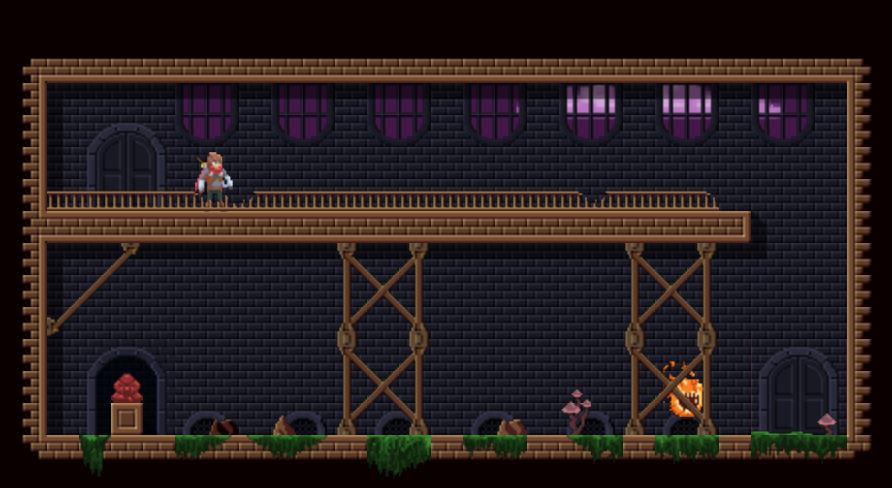
👻 Ecto Stomp Review
Ecto Stomp is an action puzzle-platformer currently in development. It offers platforming gameplay with action mechanics and idol-based scoring.
Play Now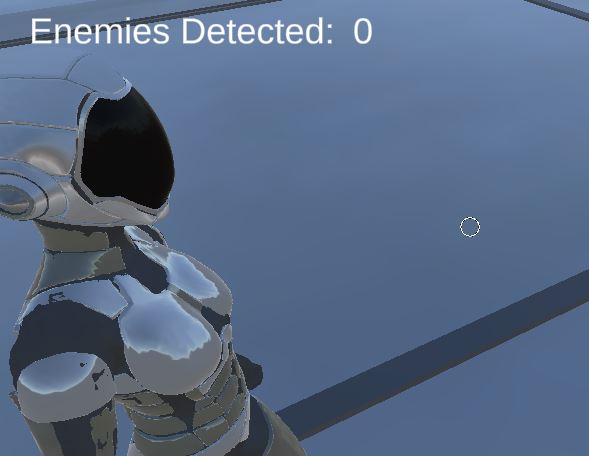
Dimension Pirates
Third-person perspective of an interdimensional warrior who must save the universe and humanity by eliminating a wide variety of villains trying to conquer multiple dimensions.
Play Now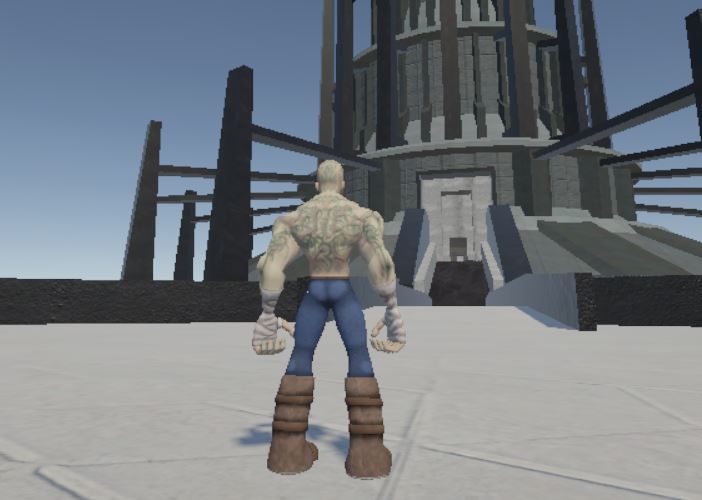
Medieval Parkour - Castle
Medieval Parkour - Castle: Freely explore a 3D-modeled medieval castle. Technical demo with no objectives.
Play Now
Agent Amazement
Agent Amazement game: A browser-based shooter prototype. Free to play. 6.5/10 rating.
Play Now
Otherworldly Relics
Otherworldly Relics: turn-based hexagonal puzzle about detective vs. dimensional occult plot. Brain mechanics, isometric pixel art. Free WIP 2026.
Play Now
Delusional Disorder
Delusional Disorder: an adventure game about a boy trapped in a nightmare trying to wake up. 2 endings, praised level design.
Play Now